Files, folders and folder trees
Drop individual images, several folders or a nested archive. Image Resizer discovers supported files and preserves source subfolders in the output.
Made for real image libraries
Version 0.1.34 · Apple Silicon · macOS 14 or newer
Resize one image or a complete folder tree without uploading anything. The current app is shown here with CR3 input, Long Edge sizing and a 500 KB JPEG target.
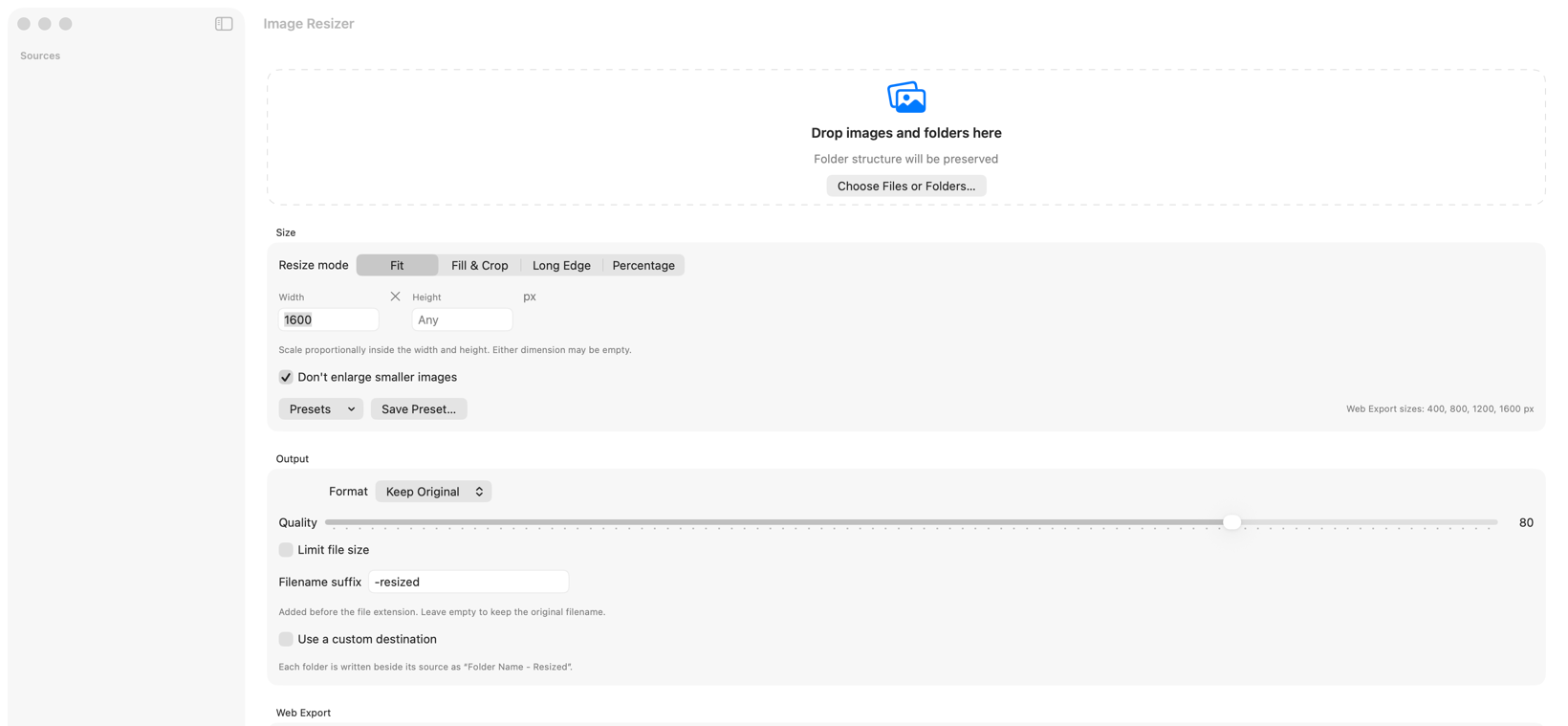
Bring the whole job
Drop individual images, several folders or a nested archive. Image Resizer discovers supported files and preserves source subfolders in the output.
CR3 sources use their embedded colour-rendered preview for dependable orientation and colour. When Keep Original is chosen for RAW, the output becomes JPEG.
Read the Camera RAW guide →Multi-frame content and frame timing are retained for writable animated formats, including GIF and WebP.
Shape the result
Scale proportionally inside a width and height. Either dimension may be left open.
Fill exact dimensions, cropping around the subject rather than the middle. Recognition runs on your Mac; an image with no clear subject is centre-cropped as before.
Set the longest side while preserving the image’s proportions.
Scale both dimensions by a percentage of the original.
Control the output
Set an optional KB or MB limit for any lossy format — JPEG, HEIC, AVIF or WebP. The app finds the highest quality beneath that limit and explains when the dimensions make it impossible.
Keep the original format or convert to a supported output. Adjust quality for lossy formats.
Smaller sources stay at their original dimensions by default. Turn the protection off when intentional enlargement is required.
Use the remembered -resized suffix, enter your own, or leave it blank. Collision-safe numbering prevents overwrites. Web Export adds URL-safe slugs and filename patterns.
Private by design
The selected images are read and resized locally. Image content is not uploaded and no account is required.
Preserve orientation, dates, camera information, colour profiles and timing when the output supports them, while removing GPS location by default.
Read security & privacy details →Stay organised
Control a running batch without rebuilding its settings.
Save common dimensions and keep your last-used output choices ready.
Completed source items clear automatically while the result summary and output location remain available.
New in 0.1.34
Produce 400, 800, 1200 and 1600 pixel versions of every source at once. Widths larger than a given original are skipped rather than upscaled.
IMG_4821 Café Sign.jpg becomes cafe-sign-800.jpg. Accents, Arabic and Han transliterate; camera prefixes are removed.
Creator, copyright, credit and licensing URLs written as IPTC and XMP — the fields image search reads.
AVIF and WebP written alongside a fallback every browser reads, offered as a <picture> so each browser takes the best one it understands.
An extra crop at the shape social platforms want, with the og:image tags to go with it.
A manifest.json describing every file written, and a snippet — HTML or JSX — with a complete srcset, structured data and loading priority, ready to paste.
Recognition and phrasing both run on device. Suggestions repeat only what was recognised, images the recogniser is unsure about are left undescribed, and everything needs your review before publishing.
See what Web Export produces →Compatibility
| Format | Read | Write | Notes |
|---|---|---|---|
| JPEG | Yes | Yes | Quality and target file size supported |
| PNG | Yes | Yes | Lossless output |
| HEIC | Yes | Yes | Subject to macOS codec support |
| TIFF | Yes | Yes | Metadata retained when requested |
| GIF | Yes | Yes | Animation timing retained |
| WebP | Yes | Yes | Animation and target file size supported |
| AVIF | Yes | Requires macOS 26 | Offered only when the Mac running the app can write it. Quality and target file size supported. |
| Canon CR3 | Yes | JPEG fallback | Uses the embedded colour-rendered preview |