Inspect the app source, issues and development activity on GitHub.
Native batch resizing for Apple Silicon
Resize a whole folder. In one click.
A focused Mac app for everyday images and Canon CR3 files. Now with Web Export: responsive sizes, clean filenames, rights metadata and alt text, prepared on your Mac. No uploads, accounts or image telemetry.
Version 0.1.34 · August 10, 2026 · Apple Silicon · macOS 14 or newer
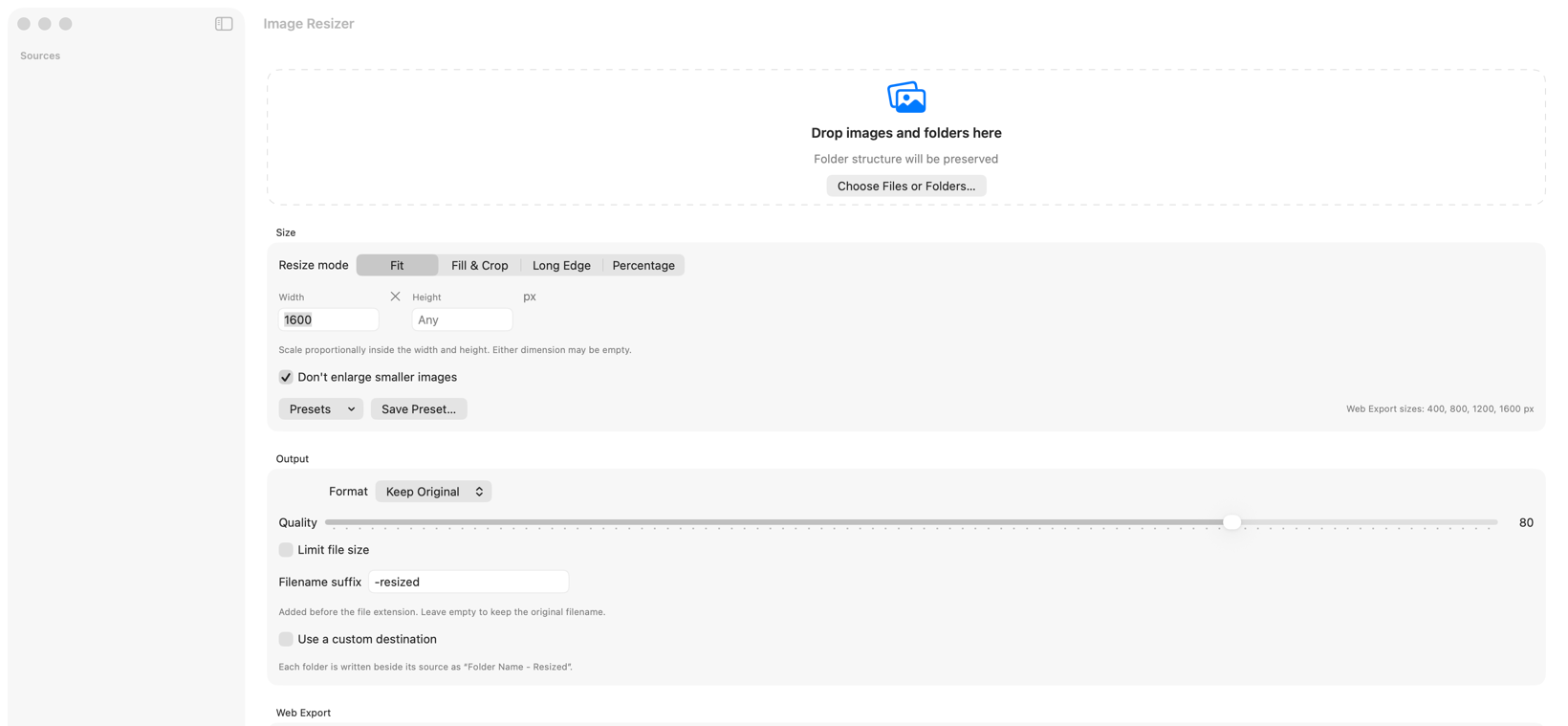

A native utility with no account, cloud library or subscription.
Every release includes a checksum so the downloaded file can be verified.
The useful parts, up front
Control the result.
Keep the workflow simple.
The homepage is the overview. Each card opens the exact capability on the full Features page.
Canon CR3 support
Use the camera’s embedded colour-rendered preview for reliable orientation and colour.
Explore Camera RAW →Target file sizes
Set a JPEG or WebP limit and get the highest quality that fits beneath it.
Explore output control →Four resize modes
Fit, Fill & Crop, Long Edge and Percentage cover everyday exports.
View resize modes →Modern formats
Keep the source format or convert to JPEG, PNG, HEIC, TIFF, GIF or WebP.
Check compatibility →Safer batch control
Presets, remembered settings, collision-safe names, pause, resume and cancel.
See batch controls →Metadata privacy
Preserve useful image information while removing GPS data by default.
See privacy controls →A maintained open-source utility
Nine releases since launch.
Image Resizer shipped nine public versions between July 20 and August 4, adding RAW handling, safer batches, flexible resize modes, target file sizes and a refreshed identity.
Current: 0.1.34Automatic update checks included
- 1Add the source
Drop individual images, camera RAW files or folders.
- 2Choose the dimensions
Select Fit, Fill & Crop, Long Edge or Percentage.
- 3Set the output
Choose format, quality, metadata and an optional file-size limit.
- 4Resize and review
Open the preserved output folder when the batch finishes.
First launch
macOS may ask you to confirm the app.
Image Resizer is not Apple-notarized. Read what that means and follow the instructions for your macOS version before opening it.
Ready when your images are.
Download for Mac — free